
Features / Alerts & restore tests
Know your backups work, every single day
Every day CyberWall restores a random sample of your email, files, contacts and events and checks each one against the original. The dashboard shows what's protected, and you get an email if anything fails.
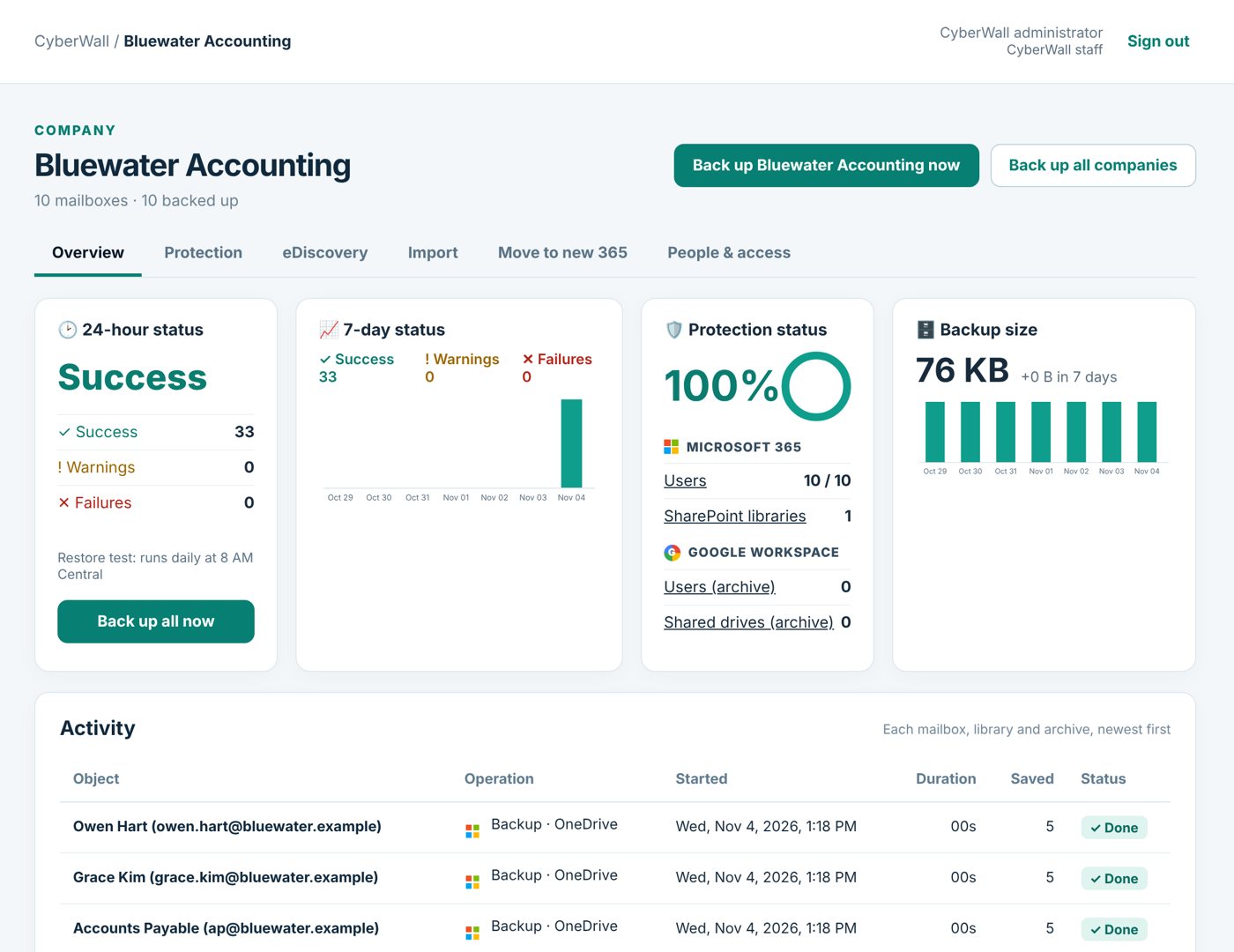
Real CyberWall screen, shown with demo data for a fictional company.
What you get
- Daily restore test. A sample is restored and checked byte for byte every morning.
- Email alerts. Company admins hear about failures for their company.
- 24-hour and 7-day status. Successes, warnings and failures at a glance.
- Protection status. How many users, sites and archives are protected.
- Activity log. Every backup with its duration and how much was saved.
- Back up now. Run an extra backup any time, for a person or the whole company.
How it works
- 1
Backups run
Every night, automatically.
- 2
Tests run
Every morning, a sample is restored and checked.
- 3
You hear about problems
By email, before you ever need a restore.
More features
Email backup
Every Microsoft 365 mailbox, shared mailboxes included, backed up daily and browsable like Outlook.
Learn more →OneDrive & SharePoint
Every OneDrive and SharePoint library, with earlier versions and whole-folder download.
Learn more →One-click restore
Restore an email, a folder, a whole mailbox or files straight back into Microsoft 365.
Learn more →Protect your Microsoft 365 today
14-day free trial. $3 per user per month after that. Set up in minutes, nothing to install.
Or email sales@cyberwallsecurity.com