
Features / One-click restore
Put it back in a click, without overwriting anything
Recover one email, a folder, a whole mailbox, contacts, a calendar or files straight back into Microsoft 365. Everything goes into a new “Restored” folder, so nothing that's there today is ever overwritten.
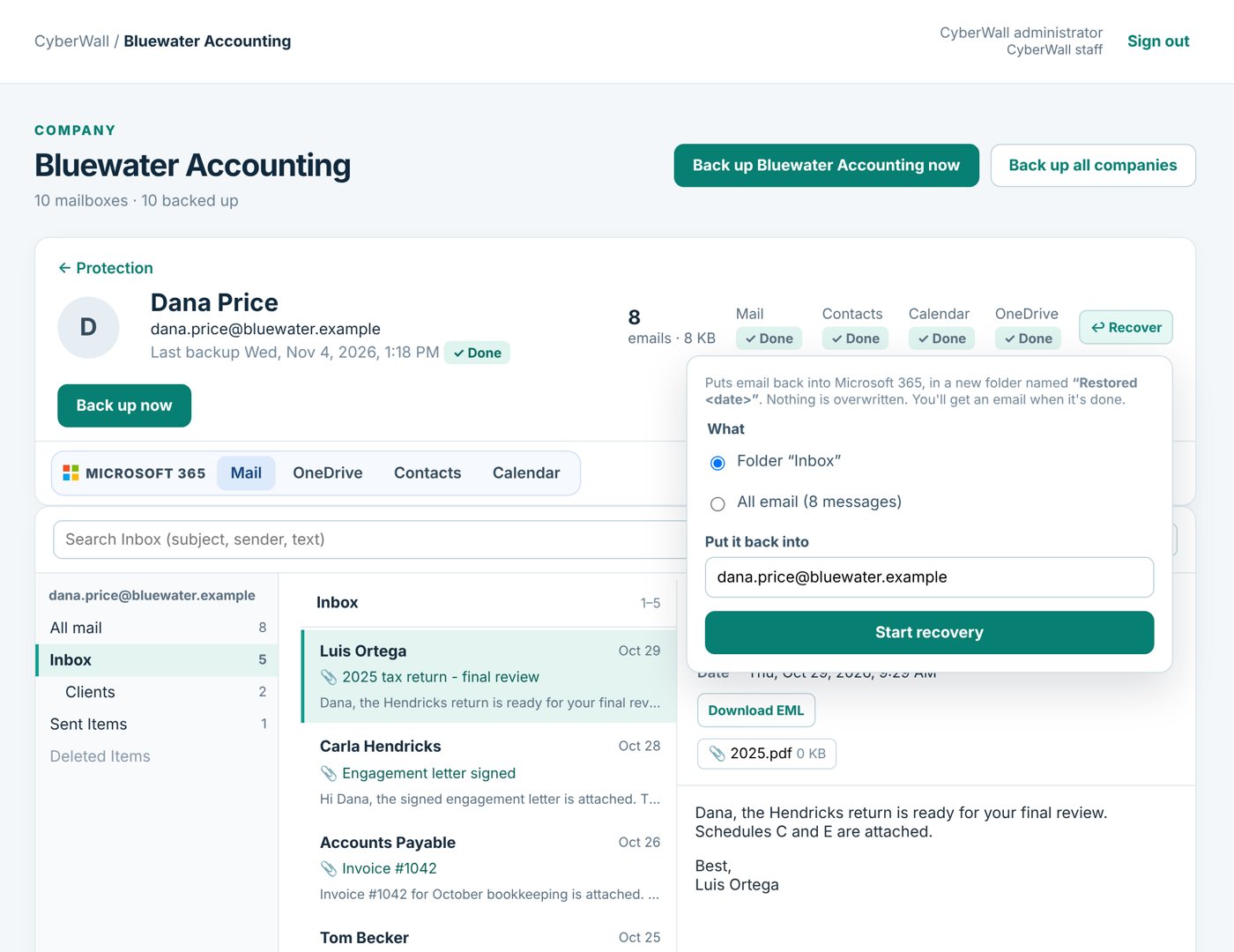
Real CyberWall screen, shown with demo data for a fictional company.
What you get
- Email, contacts, calendar, files. Restore exactly what you need, from one message to everything.
- Into any mailbox. Put a former employee's mail into their manager's mailbox.
- Never overwrites. Restores land in a new “Restored” folder with the original folder tree.
- Original dates kept. Restored email keeps its original sent and received dates.
- Download or send. Download an email or folder, or send it with a password-protected link.
- Staff self-service. Let staff restore their own mail and files without calling IT.
How it works
- 1
Find it
Open the person, browse or search for the item.
- 2
Click Recover
Choose what to restore and which mailbox to put it in.
- 3
Done
You get an email when it's back in Microsoft 365.
More features
Former employees
People who've left keep their own tab and person page, searchable forever, with no Microsoft license.
Learn more →Global search
Search every person, shared mailbox, SharePoint site and former employee from one box.
Learn more →Mailbox access
Let Tracy open Yolanda's email, only hers, without sharing an admin login.
Learn more →Protect your Microsoft 365 today
14-day free trial. $3 per user per month after that. Set up in minutes, nothing to install.
Or email sales@cyberwallsecurity.com