
Features / Move to a new Microsoft 365
Move a company to a new Microsoft 365 tenant
Selling part of a business, splitting off a company or changing Microsoft 365 tenants? Copy everyone's email, contacts, calendars, OneDrive files, inbox rules and calendar sharing from the backup straight into the new tenant, then switch the domain.
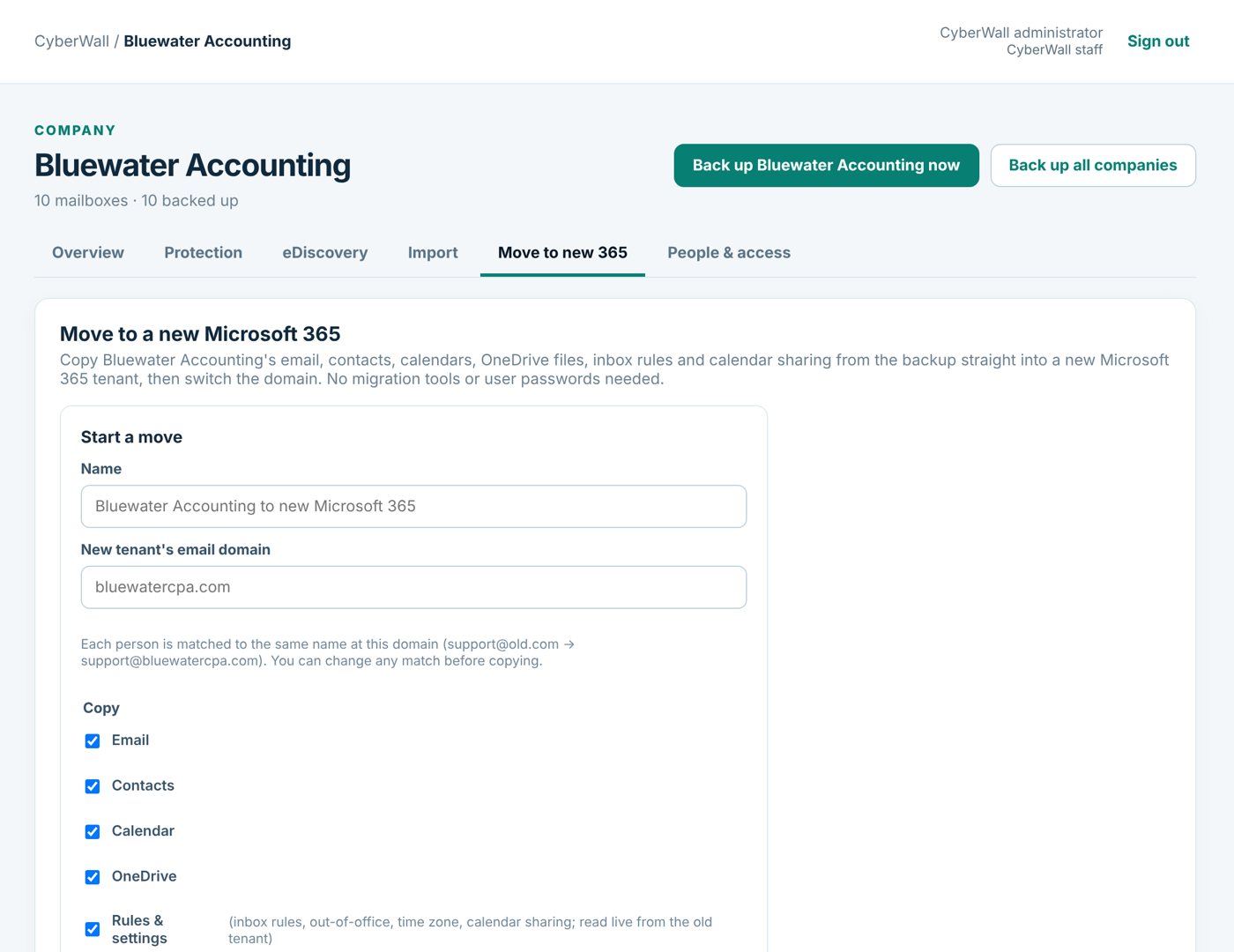
Real CyberWall screen, shown with demo data for a fictional company.
What you get
- No migration tools. No separate migration product and no user passwords needed.
- People matched for you. Each person is matched by name at the new domain; change any match.
- Shared mailboxes. Departed staff can become shared mailboxes in the new tenant, with no license.
- Settings come too. Inbox rules, out-of-office, time zone and calendar sharing.
- Catch-up passes. Copy what's new right before you switch the domain.
- Retry problems. Anything Microsoft refused is listed and can be retried in one click.
How it works
- 1
Connect the new tenant
Its admin approves access once.
- 2
Copy
CyberWall copies everything from the backup, with progress per person.
- 3
Switch
Move the domain, then copy anything new since the first pass.
More features
Switching from Afi
We import your old Afi backups: email, OneDrive, Google Drive, Gmail and deleted sites.
Learn more →Alerts & restore tests
A daily restore test, a clear dashboard and an email when something needs attention.
Learn more →Email backup
Every Microsoft 365 mailbox, shared mailboxes included, backed up daily and browsable like Outlook.
Learn more →Protect your Microsoft 365 today
14-day free trial. $3 per user per month after that. Set up in minutes, nothing to install.
Or email sales@cyberwallsecurity.com