
Features / Global search
One search box for everyone, past and present
Type a name and CyberWall searches every current employee, shared mailbox, SharePoint site, Google archive and former employee at once, and tells you which is which.
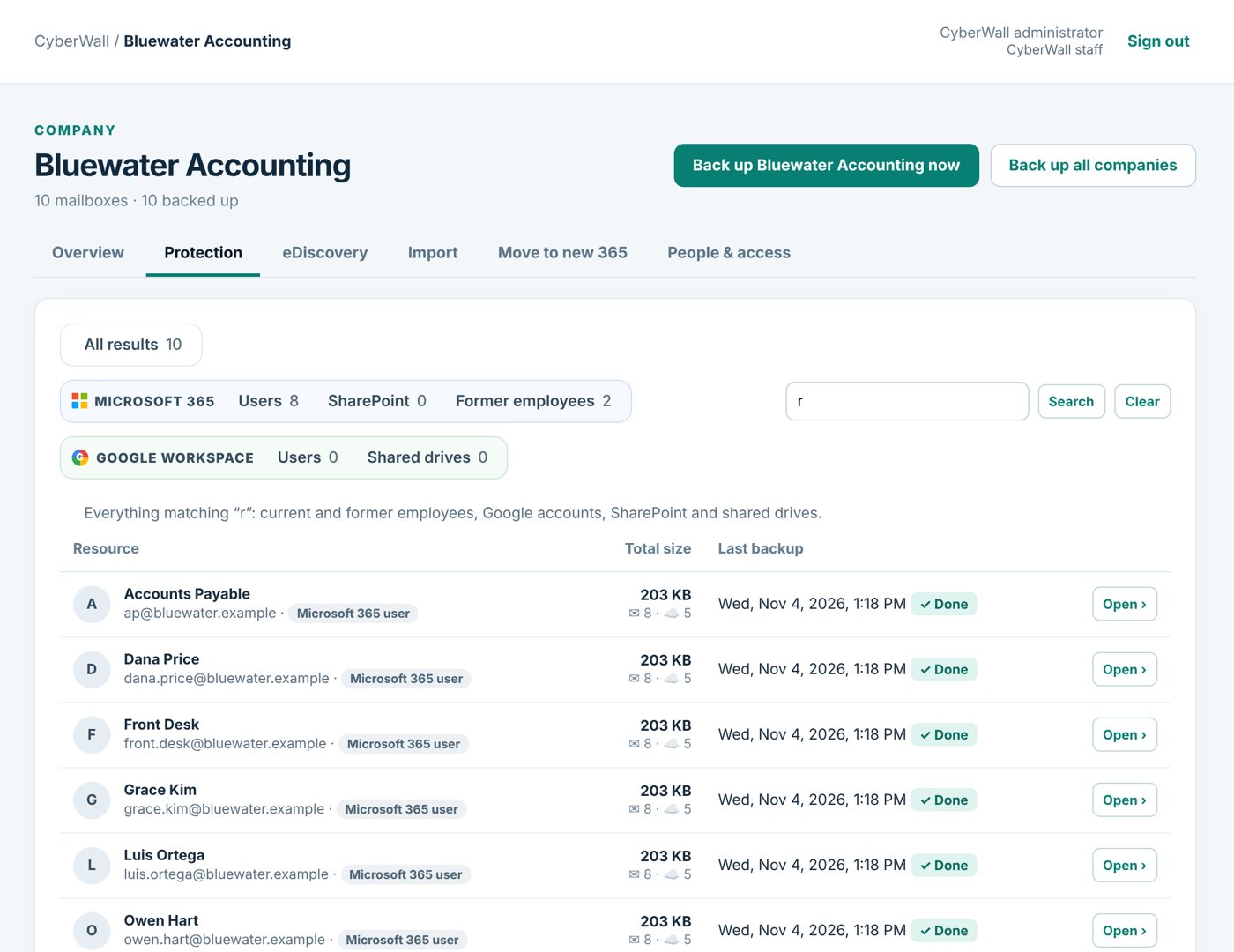
Real CyberWall screen, shown with demo data for a fictional company.
What you get
- Everyone in one list. Live staff, shared mailboxes, sites and former employees together.
- Clear tags. Each result says what it is: Microsoft 365 user, former employee, Google archive.
- Then search inside. Open a person and search their mail by subject, sender or text.
- Fast. Results in a second, even across hundreds of mailboxes.
How it works
- 1
Type a name
Part of a name or address is enough.
- 2
Pick the person
Open their page from the results.
- 3
Find the message
Search inside their mailbox, then open, download or restore.
More features
Mailbox access
Let Tracy open Yolanda's email, only hers, without sharing an admin login.
Learn more →eDiscovery & legal holds
Open a case, search everyone's mail, place holds and hand your attorney a chain-of-custody export.
Learn more →Move to a new Microsoft 365
Copy mailboxes, contacts, calendars and settings into a new Microsoft 365, straight from the backup.
Learn more →Protect your Microsoft 365 today
14-day free trial. $3 per user per month after that. Set up in minutes, nothing to install.
Or email sales@cyberwallsecurity.com