
Features / eDiscovery & legal holds
eDiscovery and legal holds, built into your backup
When a lawsuit, audit or records request arrives, open a case, search everyone's email including deleted messages, put people on legal hold, review what you found and give your attorney exactly what they asked for.
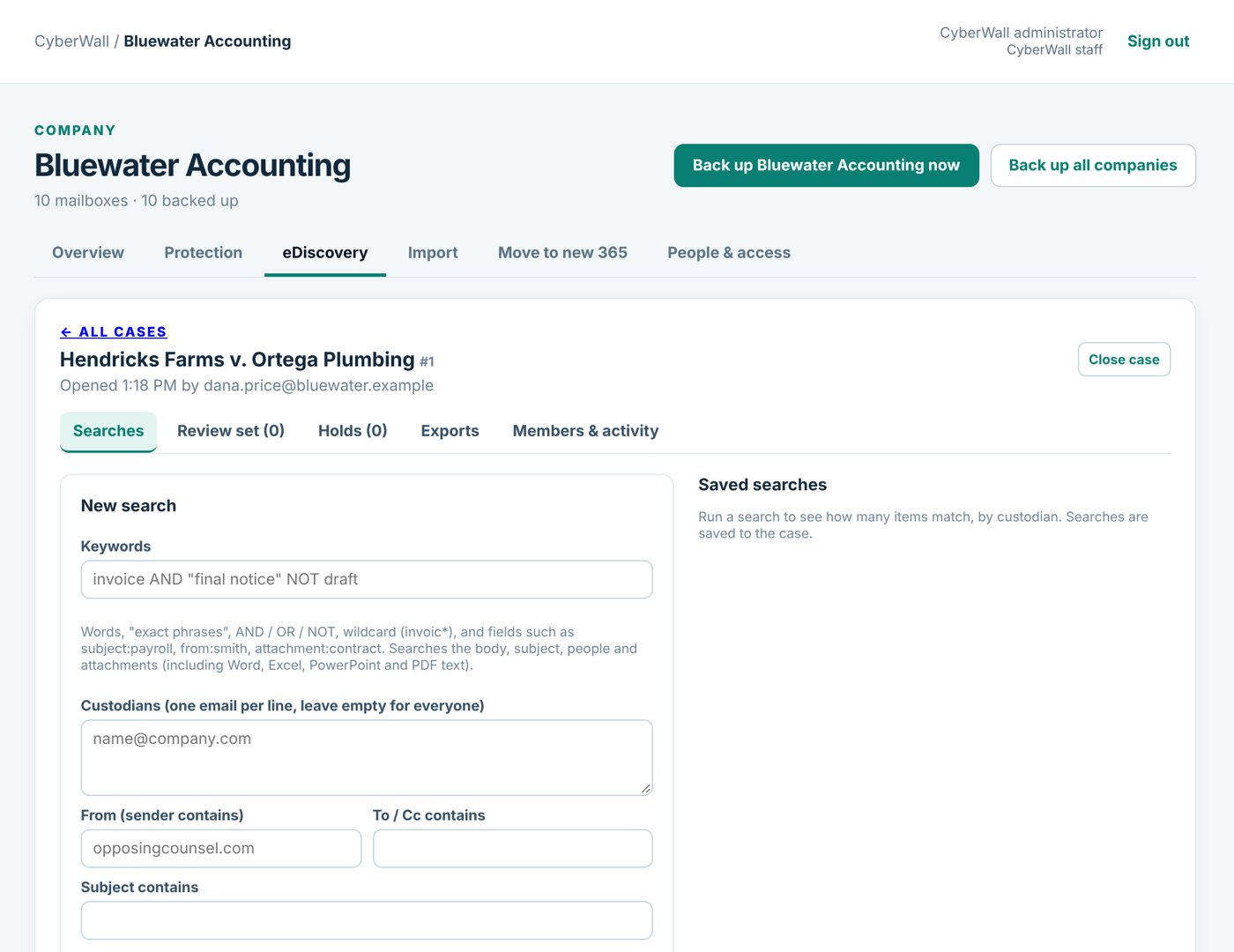
Real CyberWall screen, shown with demo data for a fictional company.
What you get
Law firm? See CyberWall for law firms.
- Cases. Keep searches, holds, reviews and exports together for each matter.
- Powerful search. Keywords, exact phrases, AND/OR/NOT, sender, recipient, dates and attachment text.
- Deleted email included. Searches cover every version kept in the backup.
- Legal holds. Put people on hold so nothing of theirs is ever removed.
- Attorney channel. Invite outside counsel to send requests; they never see your backup.
- Chain of custody. Every export comes with a report of what was collected, when and by whom.
How it works
- 1
Open a case
Name the matter and add the people involved.
- 2
Search and hold
Run searches, put custodians on hold, review the results.
- 3
Export
Send your attorney the results with a chain-of-custody report.
More features
Move to a new Microsoft 365
Copy mailboxes, contacts, calendars and settings into a new Microsoft 365, straight from the backup.
Learn more →Switching from Afi
We import your old Afi backups: email, OneDrive, Google Drive, Gmail and deleted sites.
Learn more →Alerts & restore tests
A daily restore test, a clear dashboard and an email when something needs attention.
Learn more →Protect your Microsoft 365 today
14-day free trial. $3 per user per month after that. Set up in minutes, nothing to install.
Or email sales@cyberwallsecurity.com