
Features / OneDrive & SharePoint
OneDrive and SharePoint files, with every earlier version
Every person's OneDrive and every SharePoint document library is backed up with its folder tree and each earlier version of every file, so an overwritten spreadsheet or a deleted folder is never gone.
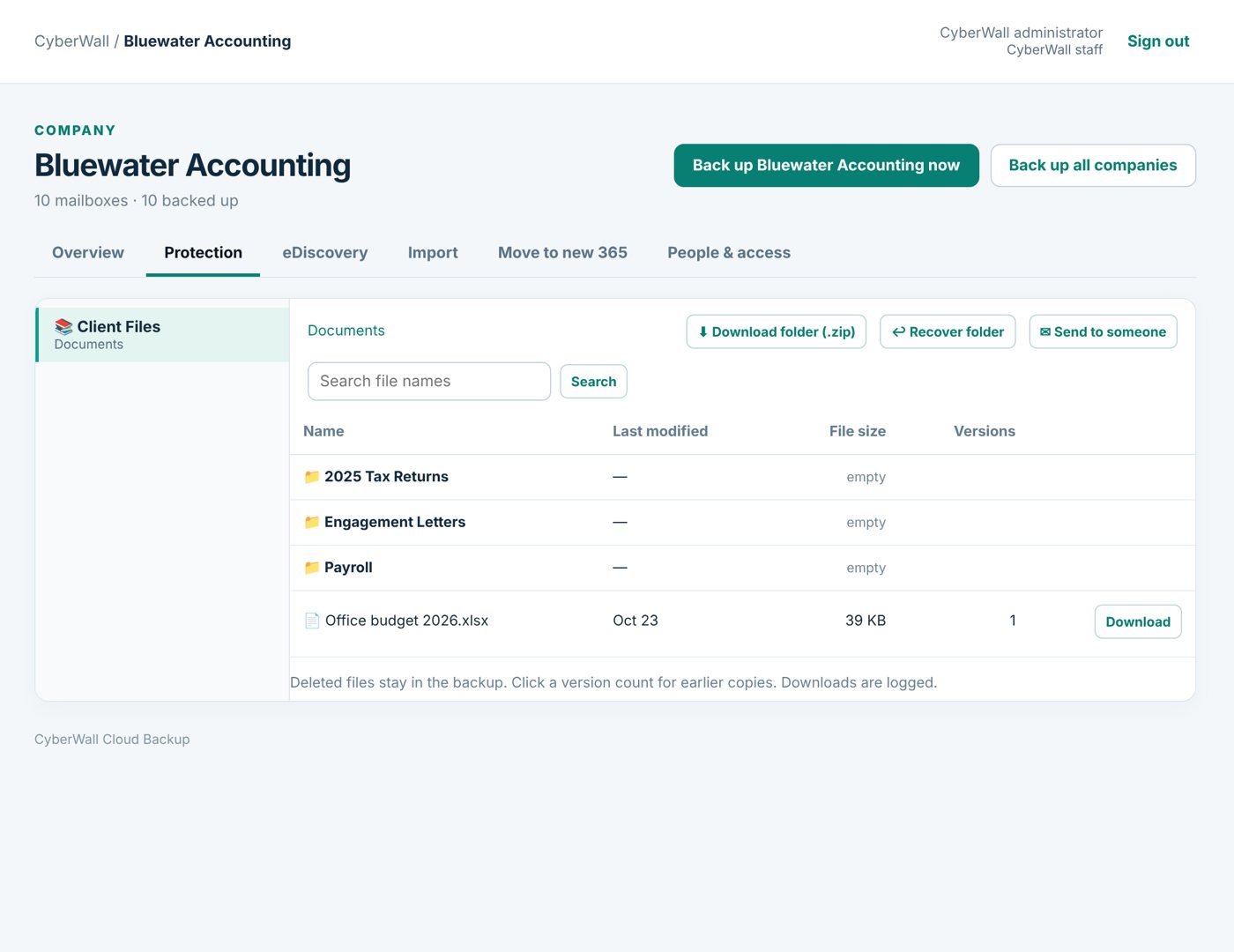
Real CyberWall screen, shown with demo data for a fictional company.
What you get
- Folder tree kept. Browse files exactly where they were, folder by folder.
- Earlier versions. Overwritten by mistake or encrypted by ransomware? Pick the version from before.
- Deleted files stay. Files deleted in Microsoft 365 stay in the backup.
- Download a whole folder. Get a folder as one .zip, ready to open on any computer.
- Put it back. Restore a file or folder into OneDrive or SharePoint in a new folder.
- Every download logged. You can always see who downloaded what, and when.
How it works
- 1
Connect
Approve access once in Microsoft 365.
- 2
Back up
OneDrive and SharePoint are copied every night, changes only.
- 3
Restore
Pick a file, folder or version and put it back or download it.
More features
One-click restore
Restore an email, a folder, a whole mailbox or files straight back into Microsoft 365.
Learn more →Former employees
People who've left keep their own tab and person page, searchable forever, with no Microsoft license.
Learn more →Global search
Search every person, shared mailbox, SharePoint site and former employee from one box.
Learn more →Protect your Microsoft 365 today
14-day free trial. $3 per user per month after that. Set up in minutes, nothing to install.
Or email sales@cyberwallsecurity.com