
Features / Mailbox access
Give one person access to one mailbox, and nothing else
Company admins see everything. Staff see only their own mail and files. And when someone needs a colleague's mailbox, an admin can open that one mailbox to them, and take it back later.
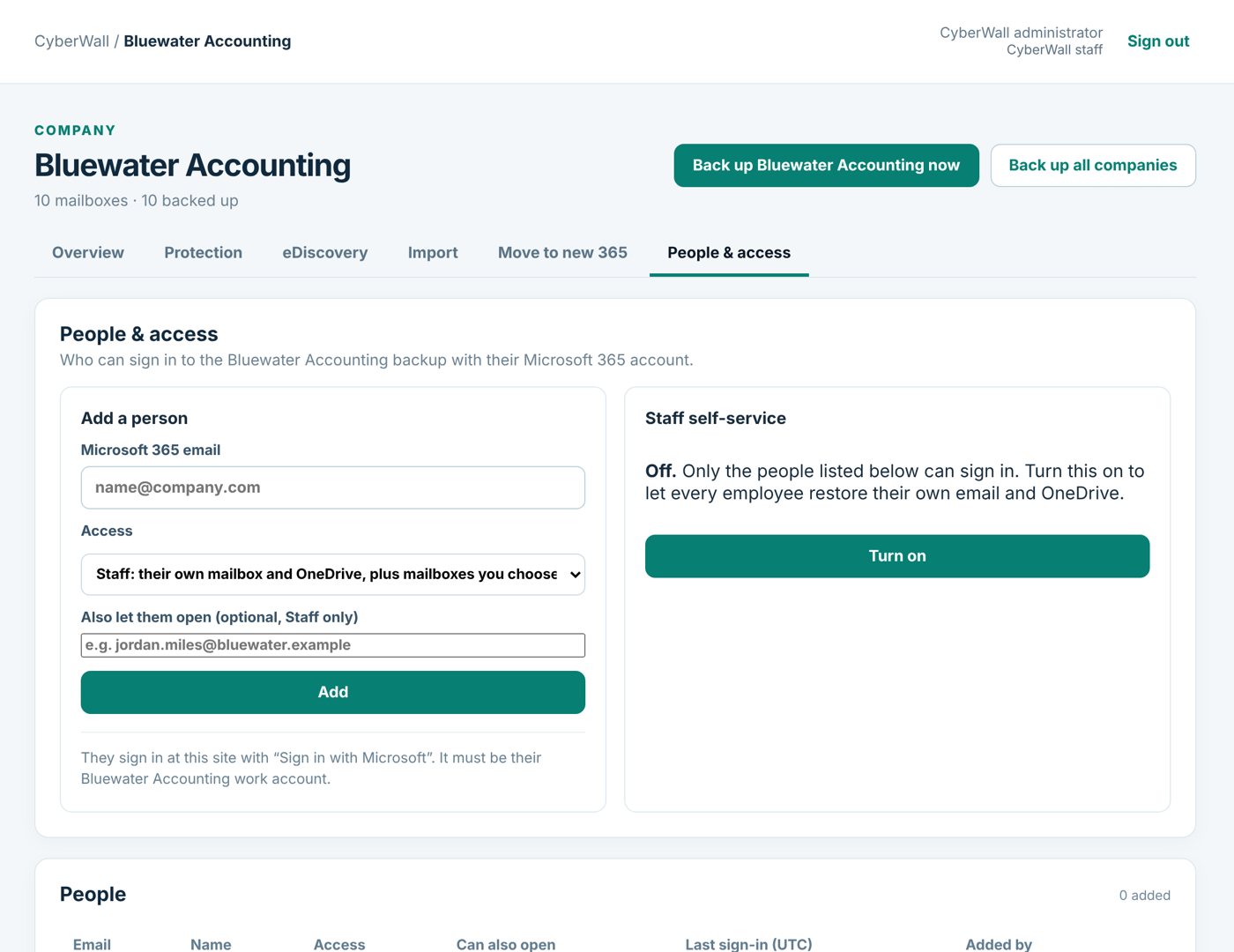
Real CyberWall screen, shown with demo data for a fictional company.
What you get
- Three levels of access. CyberWall staff, company admins, and staff who see only their own data.
- One extra mailbox. Give a person a specific colleague's mailbox, and nobody else's.
- Take it back. Remove the extra access in one click.
- Microsoft sign-in with MFA. People sign in with their own work account and your MFA rules.
- Restores stay safe. Staff can only restore into their own mailbox.
- Everything logged. Every sign-in, opened email and download is recorded.
How it works
- 1
Add the person
Enter their Microsoft 365 email and choose Staff.
- 2
Add the mailbox
Pick the extra mailbox they may open.
- 3
They sign in
With Microsoft, and see their own mail plus that one mailbox.
More features
eDiscovery & legal holds
Open a case, search everyone's mail, place holds and hand your attorney a chain-of-custody export.
Learn more →Move to a new Microsoft 365
Copy mailboxes, contacts, calendars and settings into a new Microsoft 365, straight from the backup.
Learn more →Switching from Afi
We import your old Afi backups: email, OneDrive, Google Drive, Gmail and deleted sites.
Learn more →Protect your Microsoft 365 today
14-day free trial. $3 per user per month after that. Set up in minutes, nothing to install.
Or email sales@cyberwallsecurity.com