
Features / Former employees
Keep former employees' email without paying for their license
When someone leaves, their mailbox and files stay in CyberWall after you remove their Microsoft 365 license. They get their own Former employees tab and person page, and stay in search and eDiscovery.
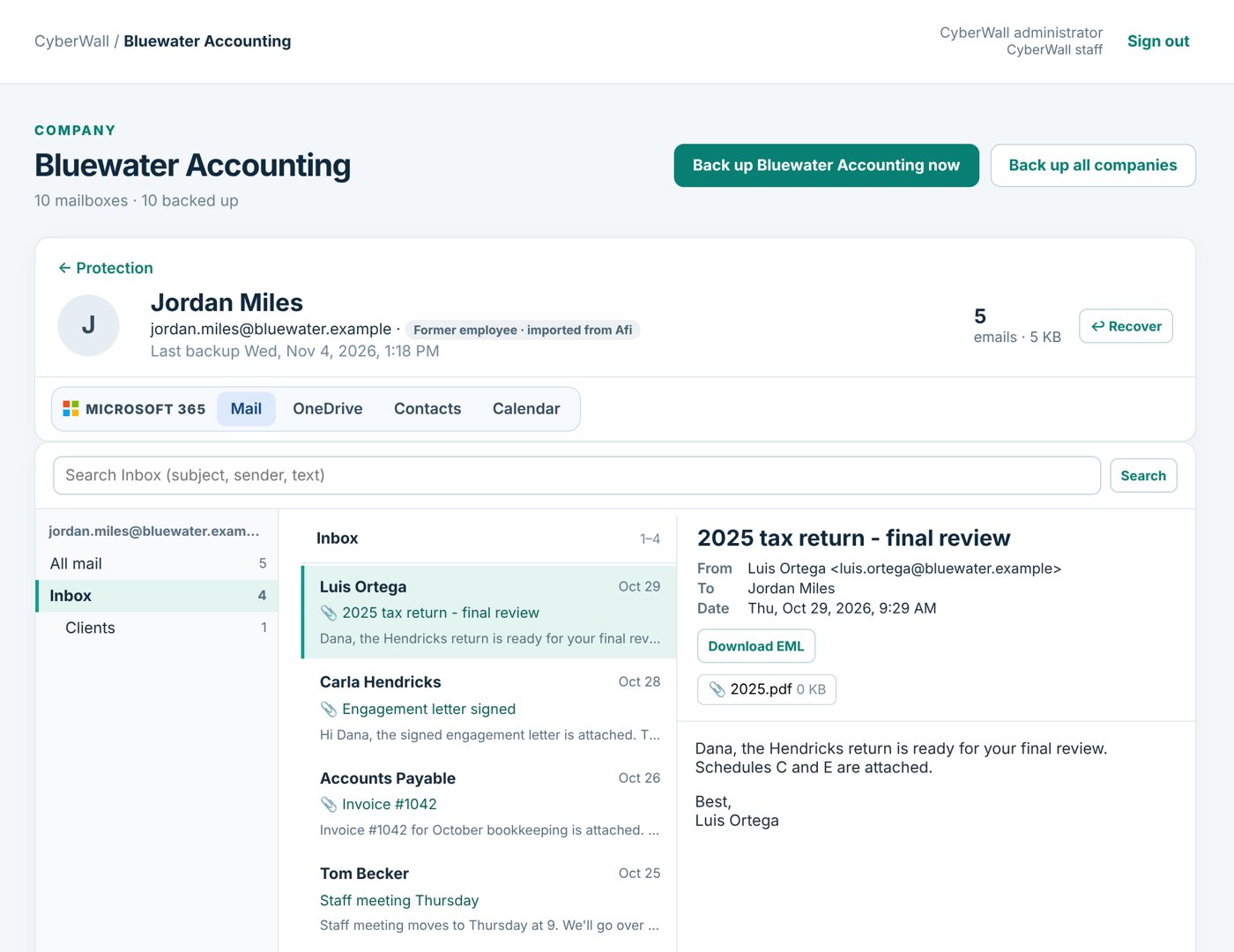
Real CyberWall screen, shown with demo data for a fictional company.
What you get
- Stop paying for empty licenses. Delete the account in Microsoft 365; the backup stays.
- Their own tab. Former employees are listed separately, so the live staff list stays clean.
- Everything kept. Email, OneDrive files, contacts and calendar, every version.
- Hand it to the right person. Restore their mail into a manager's mailbox, or give one person access to it.
- Included in legal searches. Former employees can be custodians in an eDiscovery case.
- Bring in old leavers. Import former employees from Afi or another backup service.
How it works
- 1
Leave the backup on
Before you delete the account, CyberWall already has every message.
- 2
Remove the license
Delete the user in Microsoft 365 as usual.
- 3
Find them anytime
Open the Former employees tab, or just search their name.
More features
Global search
Search every person, shared mailbox, SharePoint site and former employee from one box.
Learn more →Mailbox access
Let Tracy open Yolanda's email, only hers, without sharing an admin login.
Learn more →eDiscovery & legal holds
Open a case, search everyone's mail, place holds and hand your attorney a chain-of-custody export.
Learn more →Protect your Microsoft 365 today
14-day free trial. $3 per user per month after that. Set up in minutes, nothing to install.
Or email sales@cyberwallsecurity.com