
Features / Email backup
Every mailbox, every message, every version
CyberWall backs up every mailbox in your Microsoft 365, including shared mailboxes, every night. Open any of them in a viewer that works like Outlook: folders, search, a reading pane and attachments.
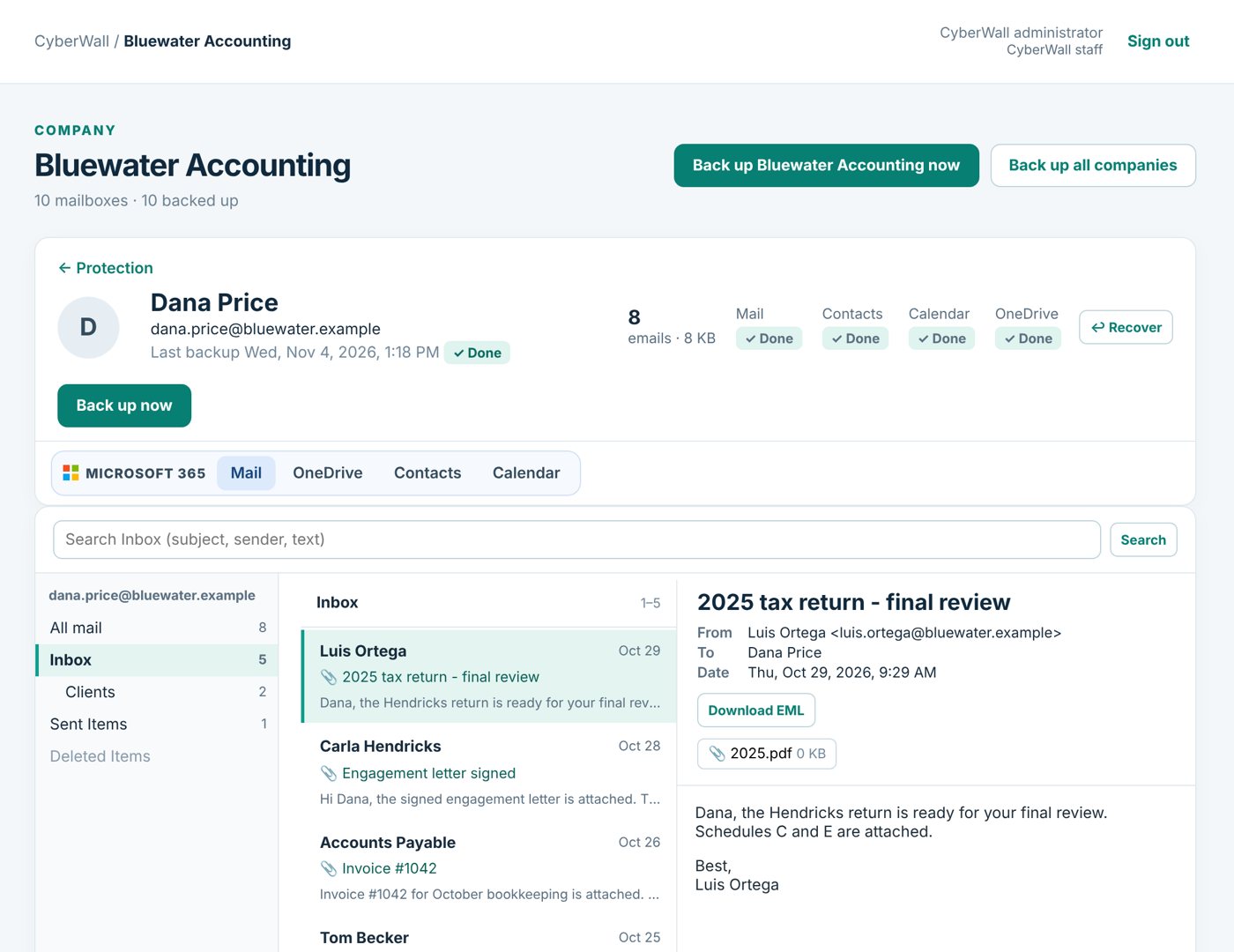
Real CyberWall screen, shown with demo data for a fictional company.
What you get
- Shared mailboxes too. Front desk, billing and info@ boxes are protected the same way as people.
- Every version kept. Deleted or changed messages stay in the backup for as long as you're a customer.
- Read it like Outlook. Folders, a message list and a reading pane, with attachments you can open or download.
- Search inside a mailbox. Find a message by subject, sender or text in seconds.
- Contacts and calendars. Every contact and calendar event is backed up alongside the mail.
- Nothing to install. Your Microsoft 365 admin approves access once; backups then run every night.
How it works
- 1
Connect
Your Microsoft 365 admin approves access. No software, no agents.
- 2
Choose
Pick the mailboxes to protect, or protect everyone.
- 3
Relax
Backups run every night, and a restore test checks them every day.
More features
OneDrive & SharePoint
Every OneDrive and SharePoint library, with earlier versions and whole-folder download.
Learn more →One-click restore
Restore an email, a folder, a whole mailbox or files straight back into Microsoft 365.
Learn more →Former employees
People who've left keep their own tab and person page, searchable forever, with no Microsoft license.
Learn more →Protect your Microsoft 365 today
14-day free trial. $3 per user per month after that. Set up in minutes, nothing to install.
Or email sales@cyberwallsecurity.com